How to build a DJ setlist in 2026
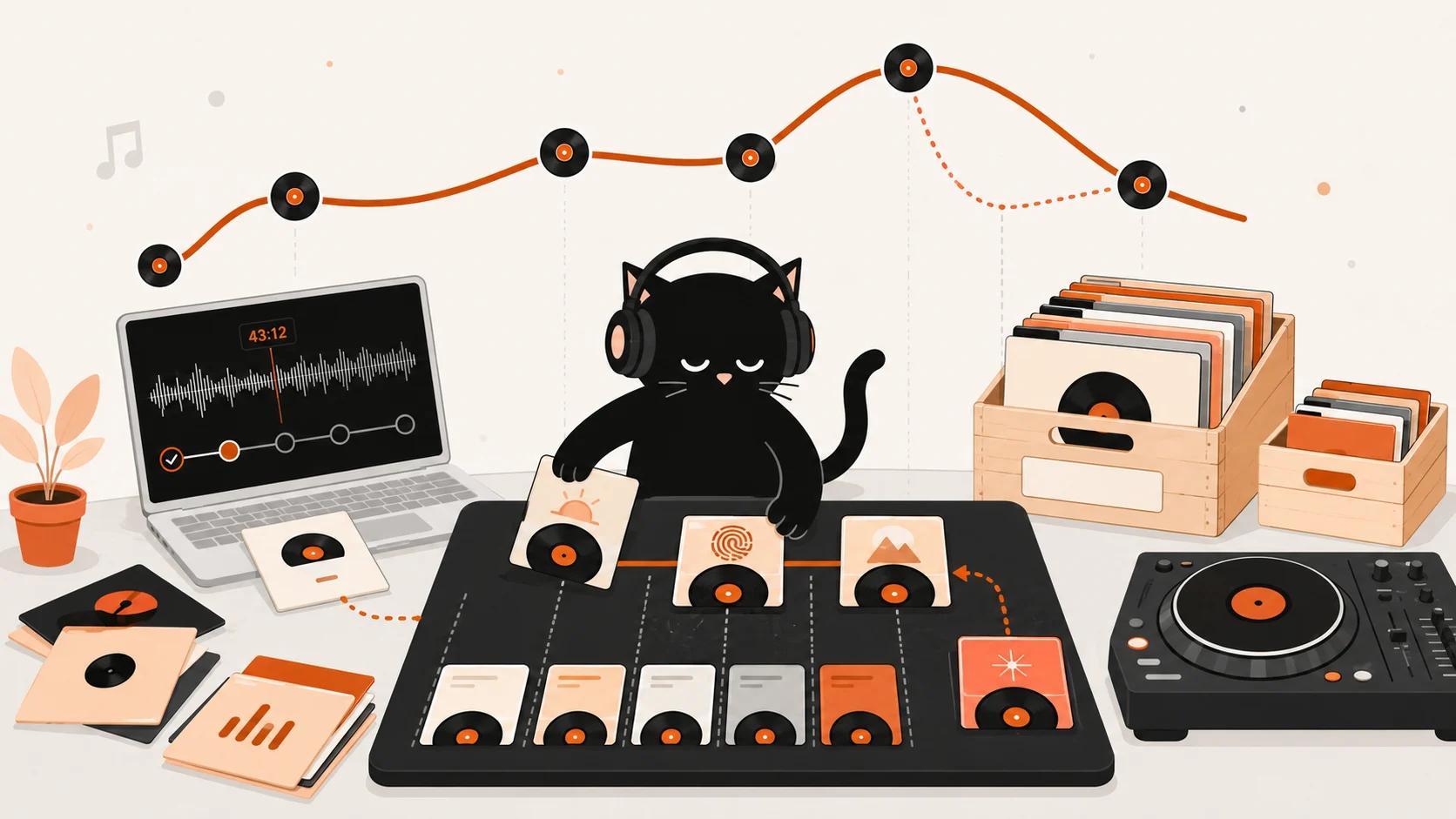
To build a DJ set, start with the slot: who is listening, where, for how long, and whether it's live or recorded. Pick two or three anchor tracks, find related music through mixes, artists and labels, then give each track a role and arrange them into an energy curve. Finally, work out how many tracks you need, add reserves, and test the order through speakers.
Decide what the set needs to do
A track that works at peak time can fail in an opening slot, where your job is to warm up the room and leave the next DJ somewhere to go.
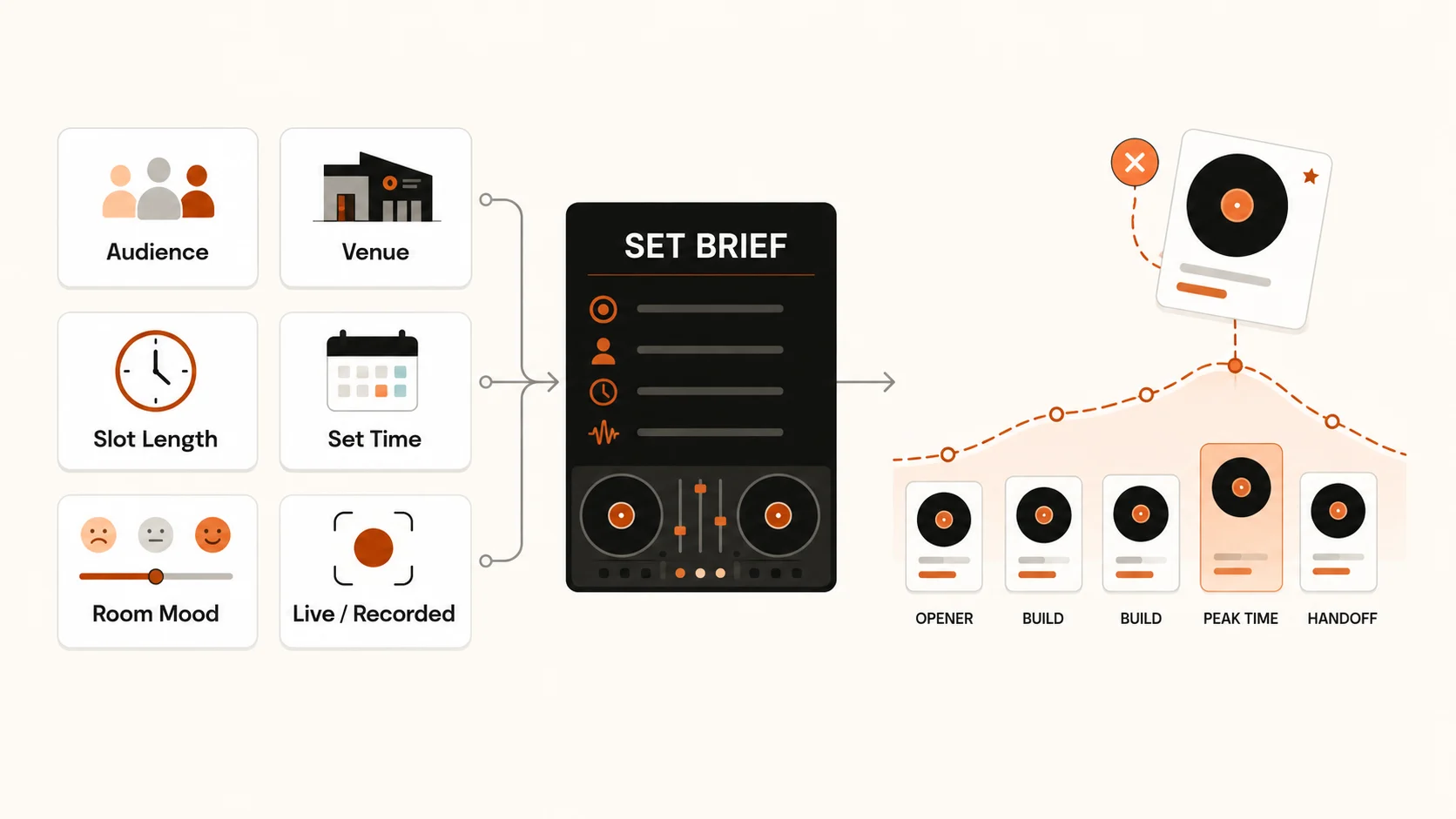
Write a short brief:
Who will hear the set, and where?
How long is the slot, and at what time?
What should the room feel like?
Is it live or recorded?
A one-hour opening set needs tracks that build gradually, fewer anthems, and a last track the next DJ can build on. A recorded mix gives you more control because you can listen back; a live set needs extra options in case the crowd reacts differently.
Start with two or three anchor tracks
Picking thirty tracks at once often leaves no clear beginning, middle or end. Start with anchors instead:
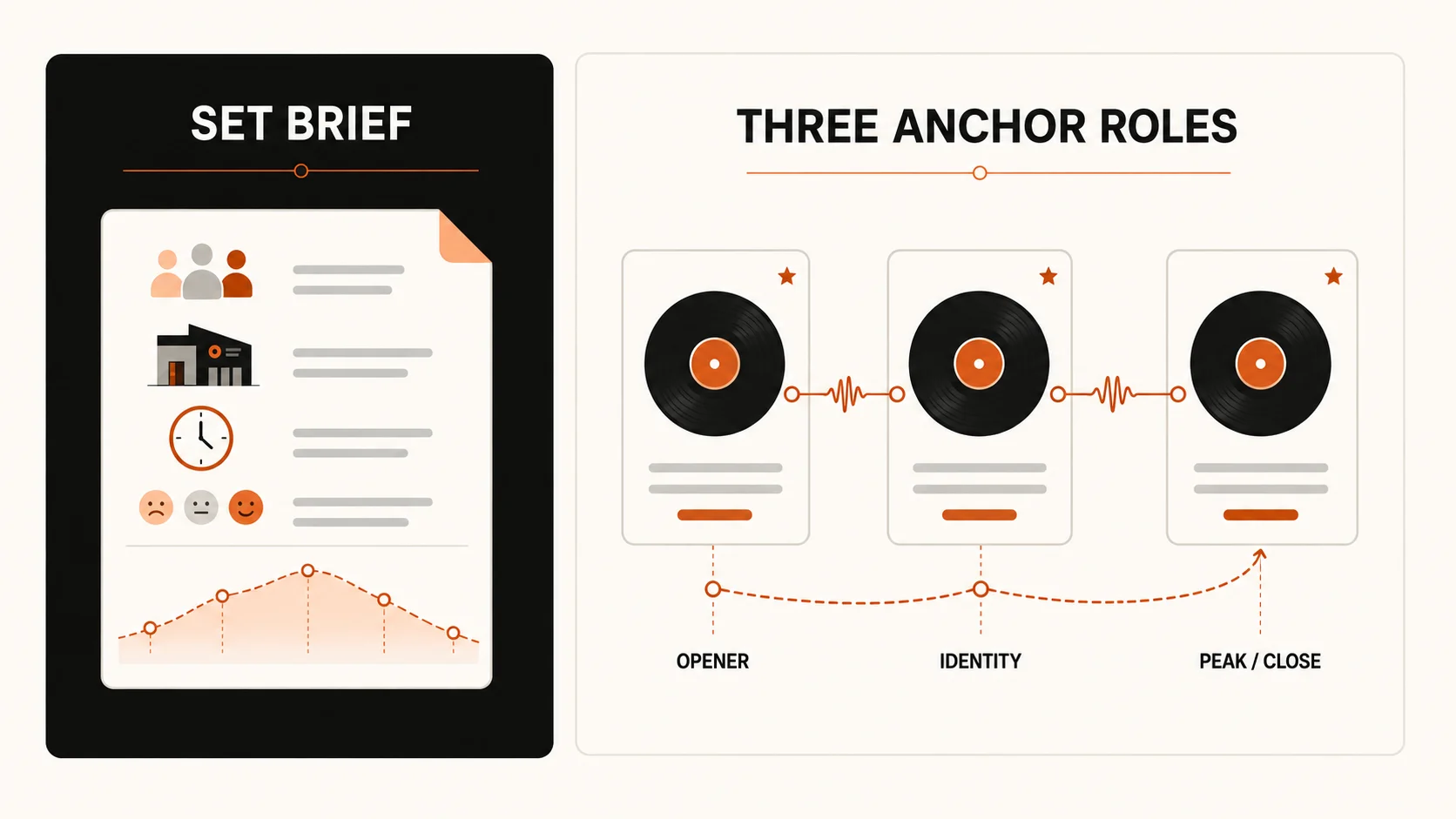
An opener that sets the mood
A central track that captures your musical identity
A peak or closing track worth building toward
Note what they share: loose percussion, restrained vocals, dark chords, playful basslines or slow tension. A genre label tells you little, since two house tracks can take a set in completely different directions. Anchors give you something to build around without fixing the order.
Find tracks inside DJ mixes
Mixes in the sound you want are a good source of candidates, but many uploaders don't share a tracklist. Setlist.ID analyzes the recording and lists recognized tracks in playing order with timestamps. Our guide on how to find songs in a DJ set covers other methods.
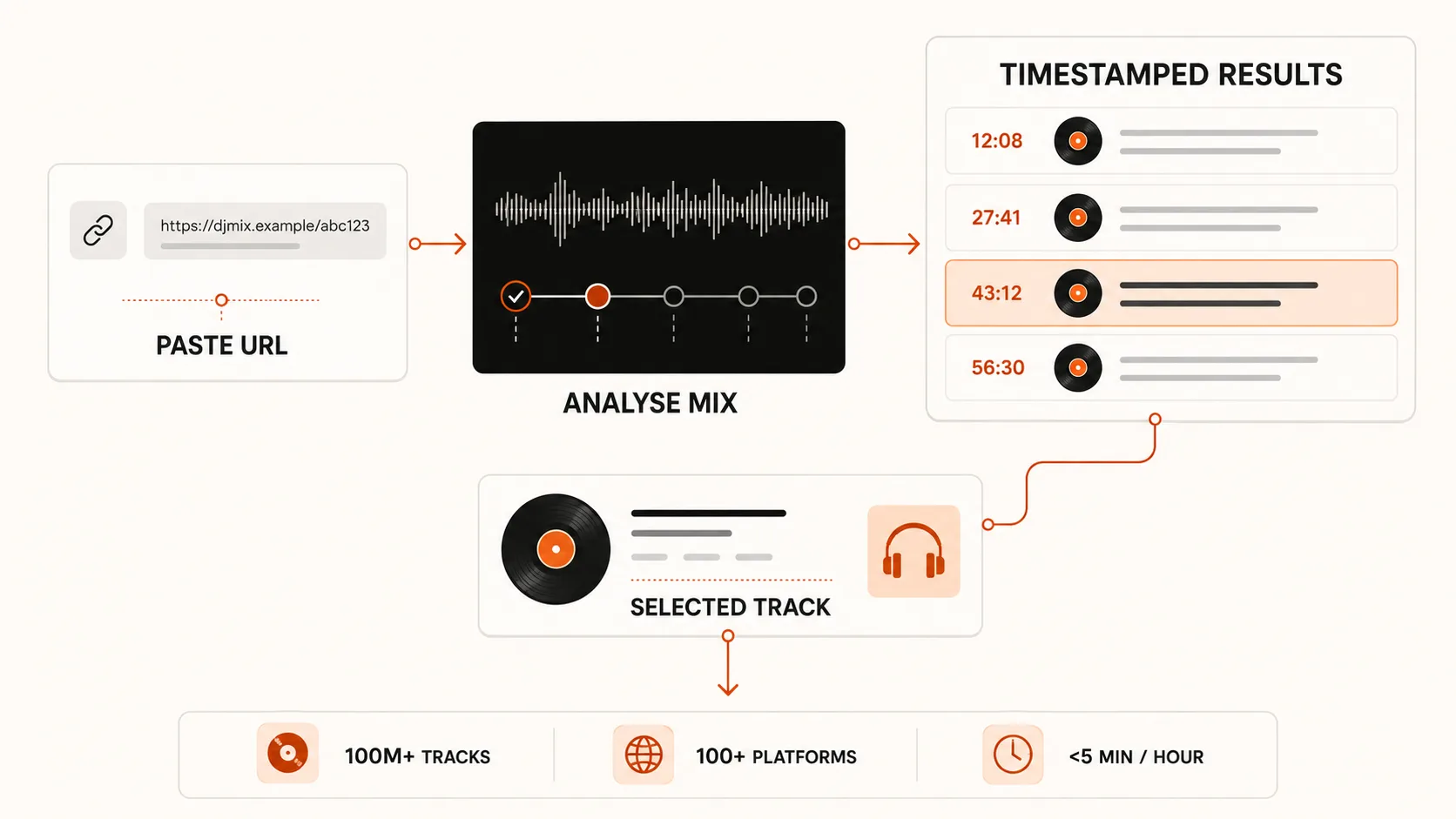
Choose a mix that matches your direction.
Paste its YouTube, SoundCloud, Mixcloud, Instagram or other supported link.
Replay each result at its timestamp in the original mix.
Open the listening links and shortlist promising tracks.
Confirm the artist, title, remix and release version before buying.
Also listen to each track outside the mix, where the transition can't flatter it. Check the version: a radio edit may cut the intro or outro you need.
Follow the artist, label and remixer
One confirmed track can lead to others for the same set.
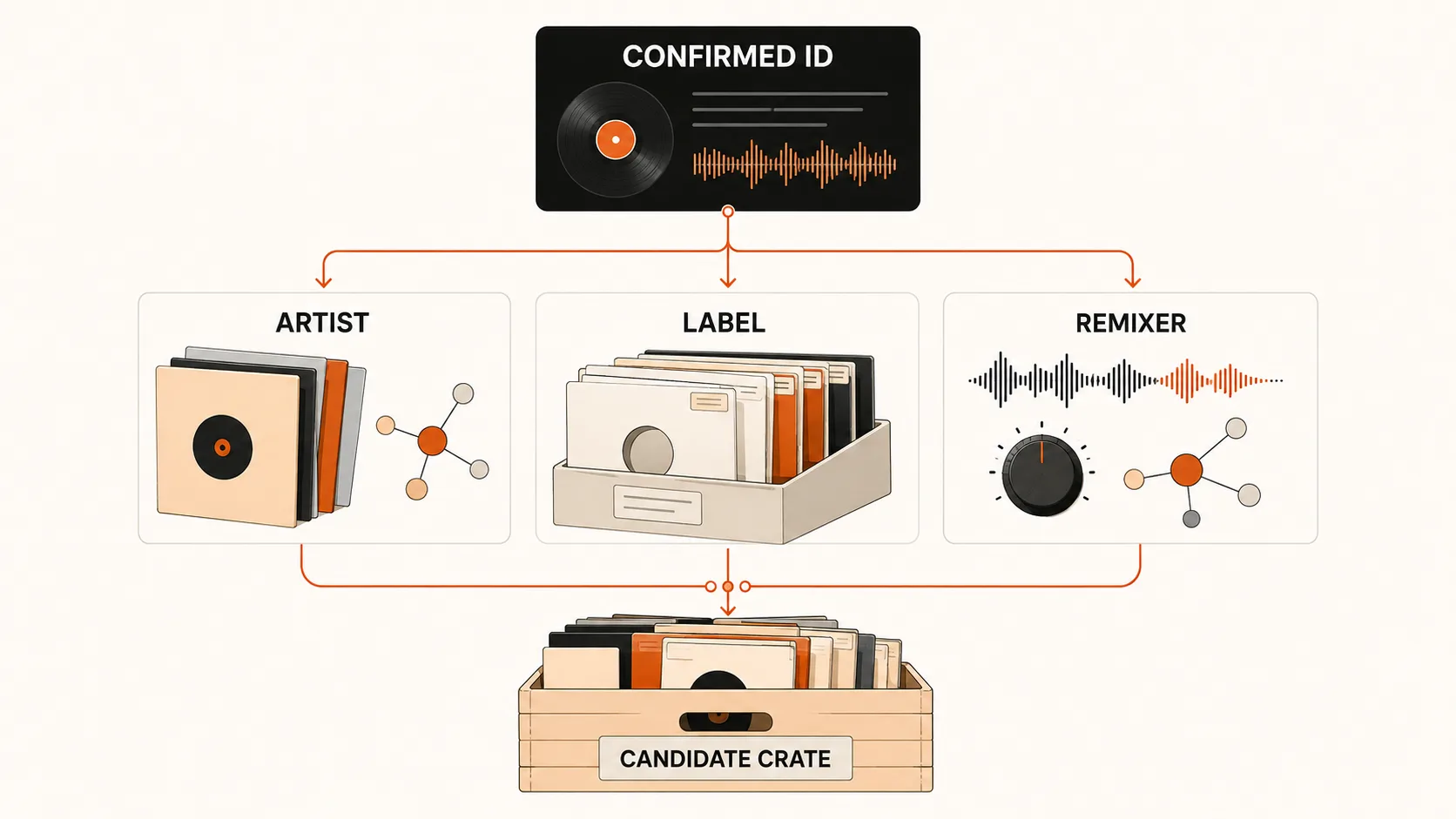
Artist: look past their five most-played tracks. Older EPs may show a rougher sound; collaborations point to producers moving the same way.
Label: check nearby catalog numbers and compilations. Labels often build around one club sound, so their catalogs are more focused than a genre search.
Remixer: their own tracks and regular collaborators may carry the same rhythm or tension.
Get a playable copy of each track
An ID tells you what a track is. It doesn't give you a file, or guarantee your streaming service works with your DJ setup.
What you have | What it proves | Next action |
|---|---|---|
Track ID | Artist, title and likely version | Locate the official release |
Streaming link | The track deserves a full listen | Check DJ software access or purchase options |
Purchased download | You have a local copy | Verify the file, metadata and audio quality |
Official promo | The sender supplied an early copy | Confirm any embargo or usage terms |
Our guide to where DJs get their music in 2026 compares stores, record pools and streaming services.
Build a candidate crate
Put every candidate in a temporary crate and listen to each track in full, in any order.
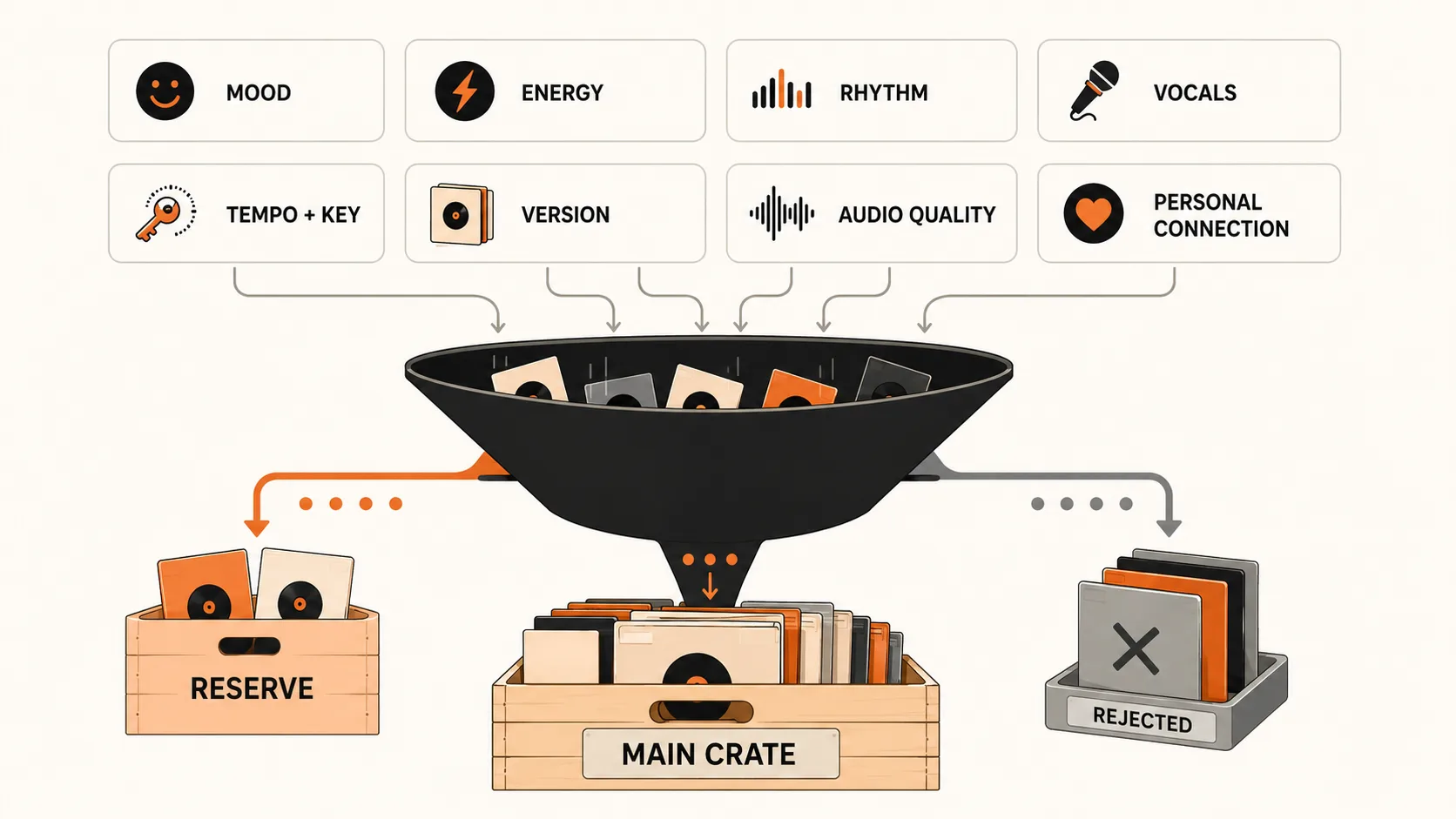
Mood: does it fit your brief?
Energy: does it raise, hold or release intensity?
Rhythm: does its groove connect with nearby candidates?
Vocals: will they add contrast or compete with another vocal?
Tempo and key: do they allow practical pairings?
Version: is it the right edit, remix or extended mix?
Audio quality: is the file FLAC, AIFF or MP3 at 320 kbps or higher?
Personal connection: would you play it if no chart had listed it?
If a track is there only because it's new, popular or easy to mix, move it to reserve.
Give every track a role
Five peak records back to back make one long plateau, not five peaks.
Track role | Job |
|---|---|
Opener | Sets up the room and leaves headroom |
Builder | Adds rhythmic weight or urgency |
Bridge | Connects different grooves, moods or genres |
Reset | Lowers density so the next rise feels larger |
Peak | Delivers a planned release or major reaction |
Surprise | Breaks a pattern at a useful moment |
Closer | Finishes the story or prepares the next DJ |
One track can do two jobs; a sparse vocal track can bridge two genres and reset the energy. When several tracks compete for one slot, keep the strongest and move the rest to reserve.
Plan the energy curve
BPM measures speed, not energy. A spacious track at 130 BPM can lower the pressure while a forceful one at 120 BPM raises it, because drum weight, arrangement density and familiar vocals change how hard a track hits.
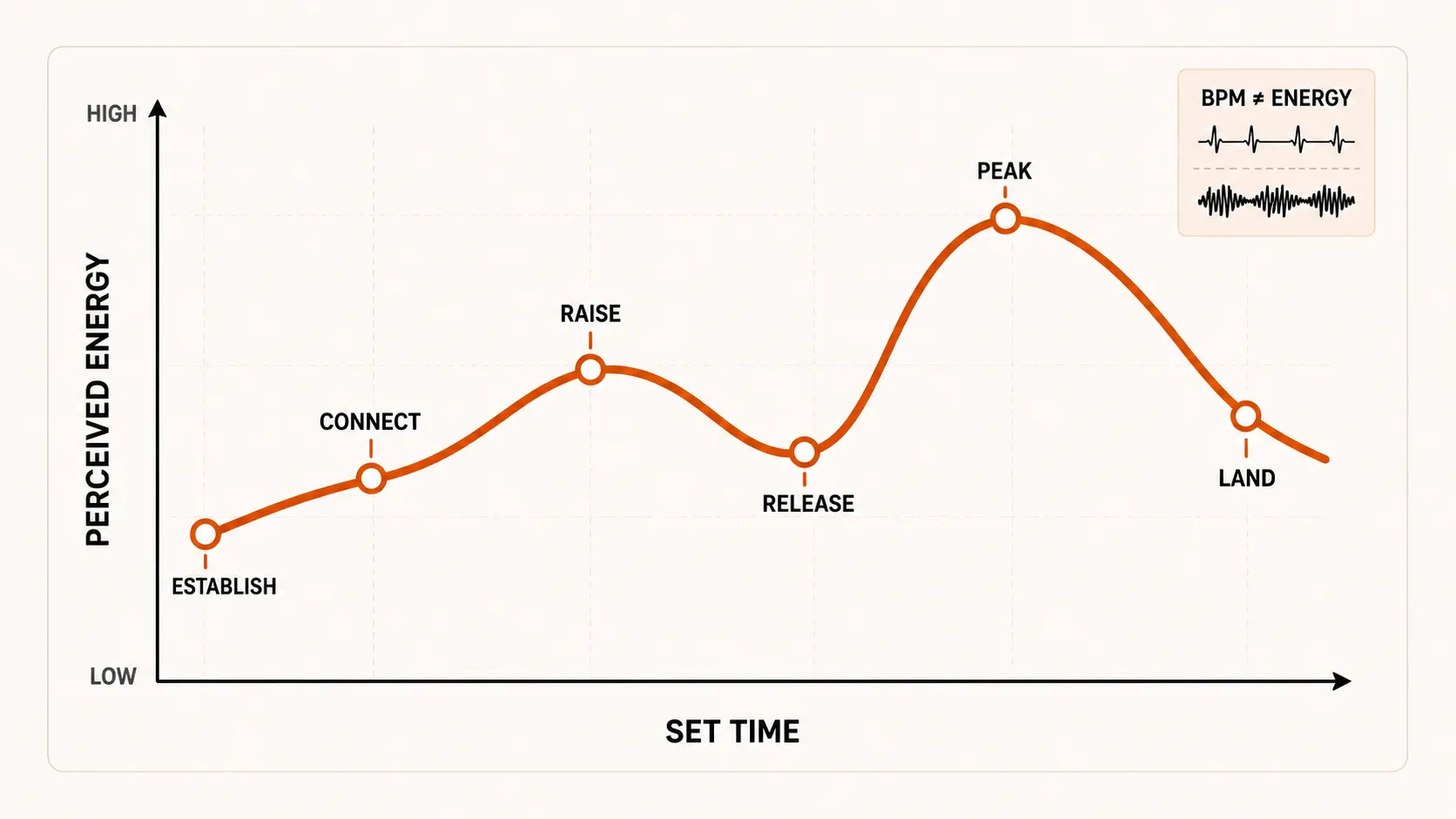
Establish: introduce the groove and leave headroom.
Connect: repeat enough musical cues to make the direction clear.
Raise: add rhythmic density, stronger hooks or familiar tracks.
Release: lower the pressure after a demanding run.
Peak: play the record with the clearest planned payoff.
Land: close the night or hand over cleanly.
A warm-up set can end while the energy is still rising. A closing set can start near the previous DJ's peak and come down. A radio mix can turn sharply because there's no dance floor to answer to. Plan a second route in case the peak fails: one track that lowers the intensity and one that rebuilds it.
How many tracks you need
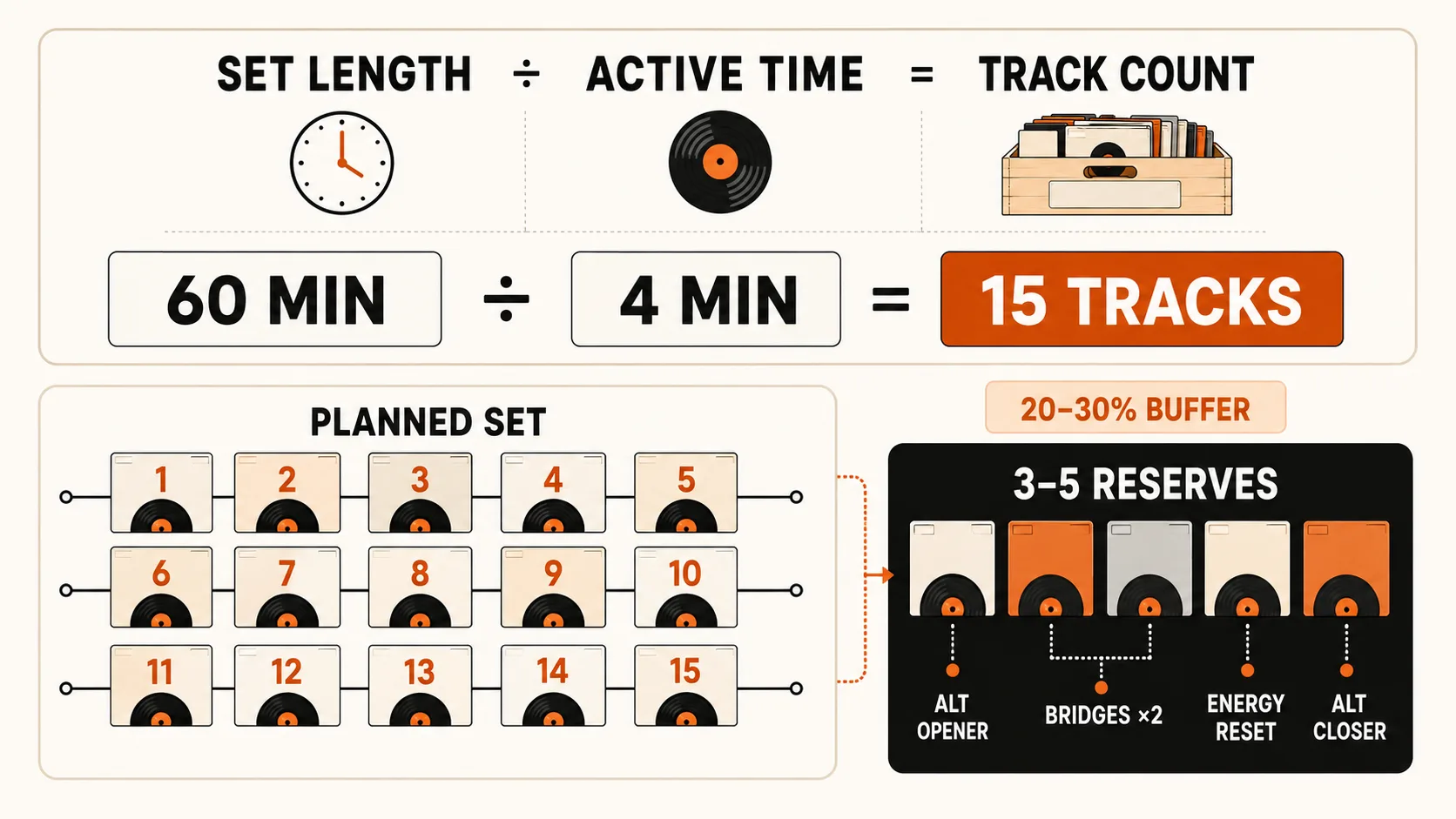
Divide the set length by the minutes each track plays. At four minutes per track, a one-hour set needs 15 tracks; at three minutes, 20.
Ferry Corsten describes using about 13 or 14 tracks in one hour in a 2026 Digital DJ Tips lesson. A 2026 Mixgraph planning guide estimates 18 to 22 tracks for an hour when tracks stay active for roughly 2.5 to 3.5 minutes. Genre, phrasing and pace account for the difference.
Add 25% to 30% extra, so 15 planned tracks need four or five reserves. Choose them by role: an alternative opener, two bridges, a lower-energy reset and another closer.
Test the order through speakers
Test three to five tracks at a time; the track before or after a transition can expose what a two-track rehearsal missed. Listen for:
Two vocals competing
Hi-hats, snares or bass patterns crowding the same space
Several breakdowns or drops in the same pattern
An energy jump before the room is ready
Too many tracks at the same intensity
One artist or label dominating
A strong track that leaves the next one no clean entry
If swapping the middle track fixes one transition but breaks the next, try a bridge with simpler percussion, fewer vocals or a shorter breakdown. Once the short groups work, record the full set.
Final check before you play
Leave the recording for a while, then listen start to finish away from the controls. Rushed builds, crowded peaks and tracks kept out of habit are easier to hear from a distance.
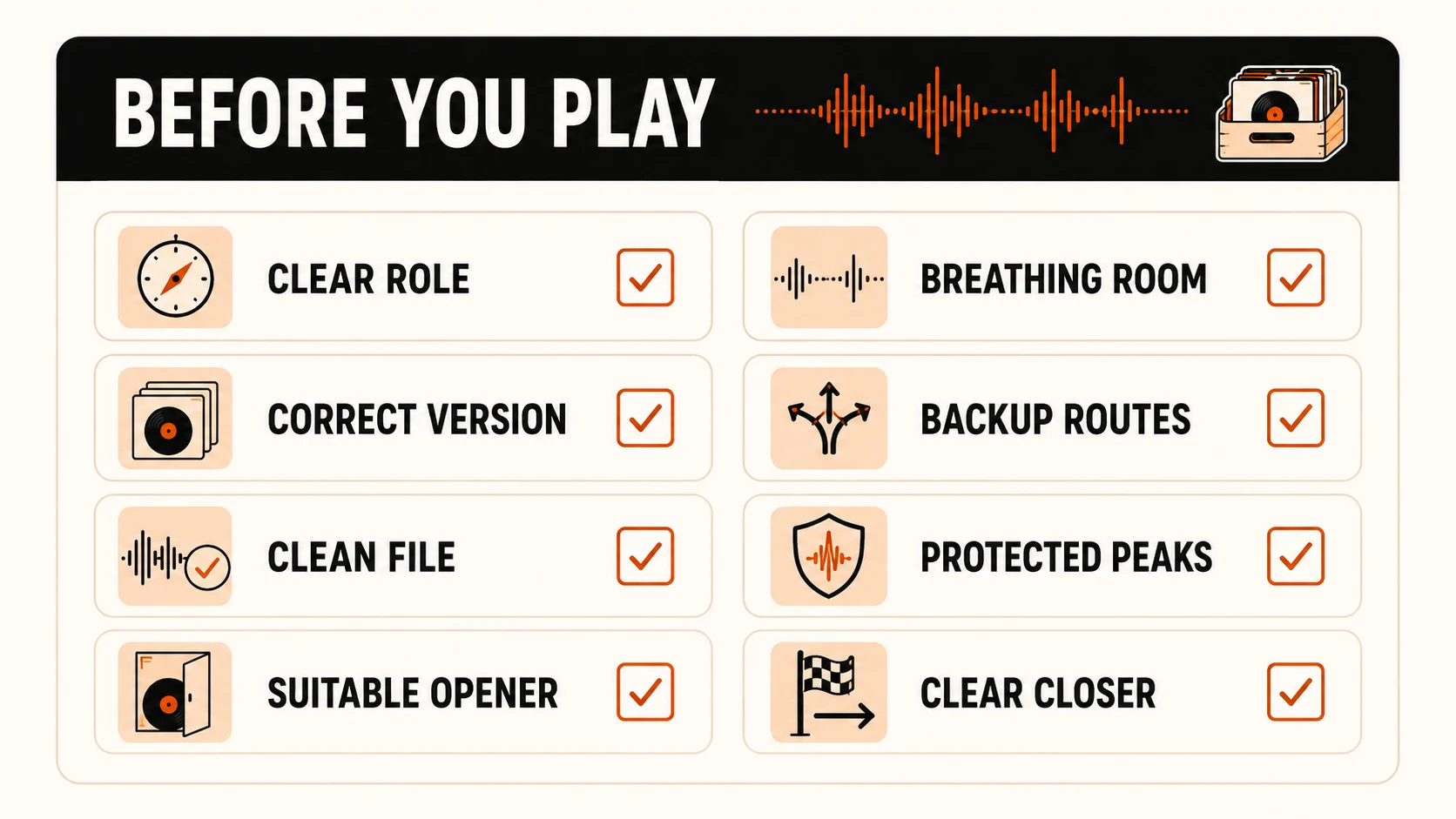
Versions, files, metadata and audio quality are checked.
You know which tracks to drop if the room changes.
The opener suits your slot, and the closer signals a finish or a handover.
The peaks have space between them.
Every track has a reason for its position. If one doesn't, move it to reserve.
FAQ
How many tracks do I need for a one-hour DJ set?
Divide the set length by the minutes each track plays: four minutes per track gives 15 tracks, three minutes gives 20. Ferry Corsten uses about 13 or 14 per hour; a Mixgraph guide estimates 18 to 22.
How many backup tracks should I prepare?
About 25% to 30% extra, so a 15-track set needs four or five reserves. Pick them by role, such as an alternative opener, two bridges, a lower-energy reset and another closer.
Is BPM the same as energy in a DJ set?
No. BPM measures speed, not how hard the drums hit or how dense the arrangement is. A spacious track at 130 BPM can lower the pressure while a forceful one at 120 BPM raises it.
How do I find the name of a track I heard in a DJ mix?
Paste the mix link into Setlist.ID. It lists recognized tracks in playing order with timestamps, so you can check each one in the original mix before you buy.
Heard a track in a mix you want to play? Paste the link into Setlist.ID to get the tracklist with timestamps.