Where do DJs get their music in 2026?
DJs get music from ten main places: record pools, download stores such as Beatport, streaming services, SoundCloud, Bandcamp and artist stores, label promo lists, other DJs' mixes, their own productions and edits, online communities and charts, and record shops. Many combine several. A club DJ may buy tracks from Beatport, while a wedding DJ may rely on a record pool.
Hearing a track vs owning a playable file
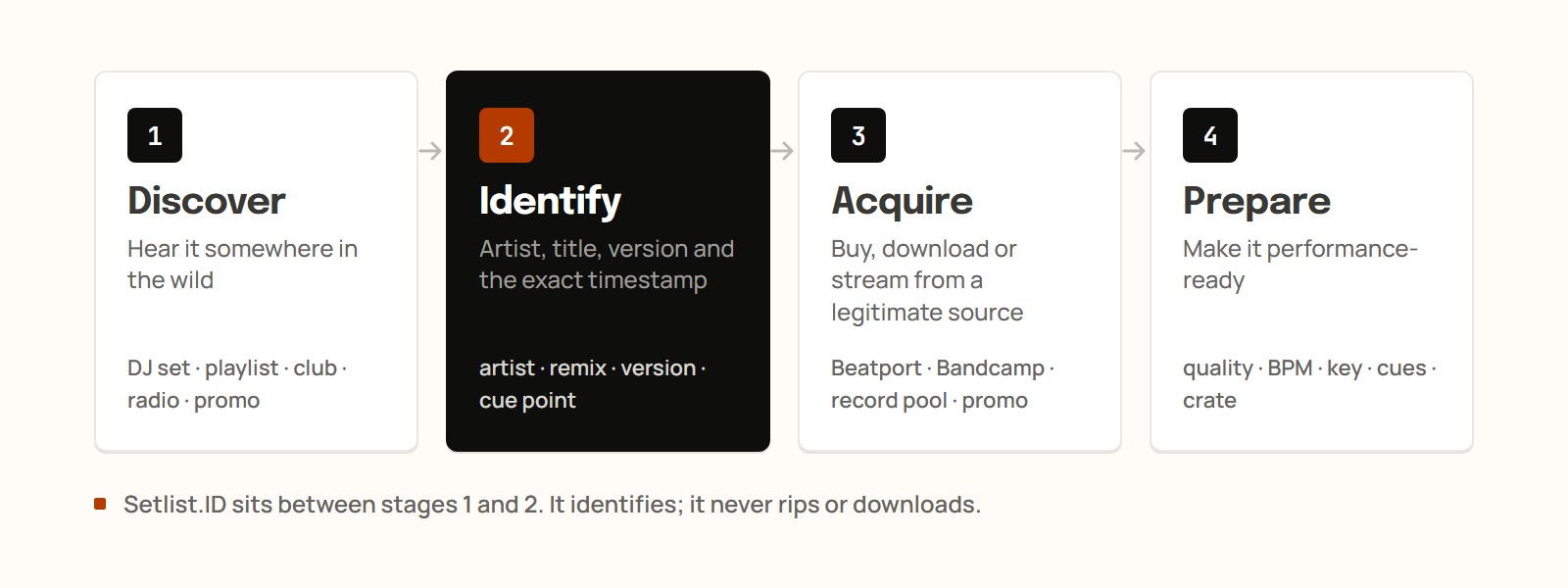
A DJ needs a file that works offline and sounds clean on a club system. IFPI reported 837 million paid streaming subscribers in 2025, and streaming accounted for 69.6% of global recorded music revenue, but streaming access does not always give you a permanent, performance-ready file. A track goes through four stages:
Discover: hear it in a set, playlist, chart, club, radio show, social post or promo email.
Identify: find the artist, title, remix and version.
Acquire: buy, download, stream or receive an authorized copy.
Prepare: check quality, analyze BPM and key, set cue points, tag it and file it in a crate.
1. Record pools
Record pools are subscription services that supply working DJs with DJ-ready versions of tracks, such as clean edits and intro edits. Instead of buying track by track, the DJ pays for access to the pool's catalog.
2. Download stores like Beatport
Through the Beatport Store, a DJ buys a specific track and gets an audio file that can be stored, backed up, analyzed and loaded into DJ software. (Beatport also runs a separate streaming service.)
Feature | Beatport Store | Streaming platforms |
|---|---|---|
Main purpose | Buying DJ-focused music | Listening and discovering |
Payment | Individual track purchases | Subscription or ad-supported access |
Standalone file | Yes | Generally no |
Offline use | Stored as a local music file | Usually restricted to the platform's app |
Best suited to | Building a dependable DJ library | Previewing tracks and creating shortlists |
3. Streaming services and playlists
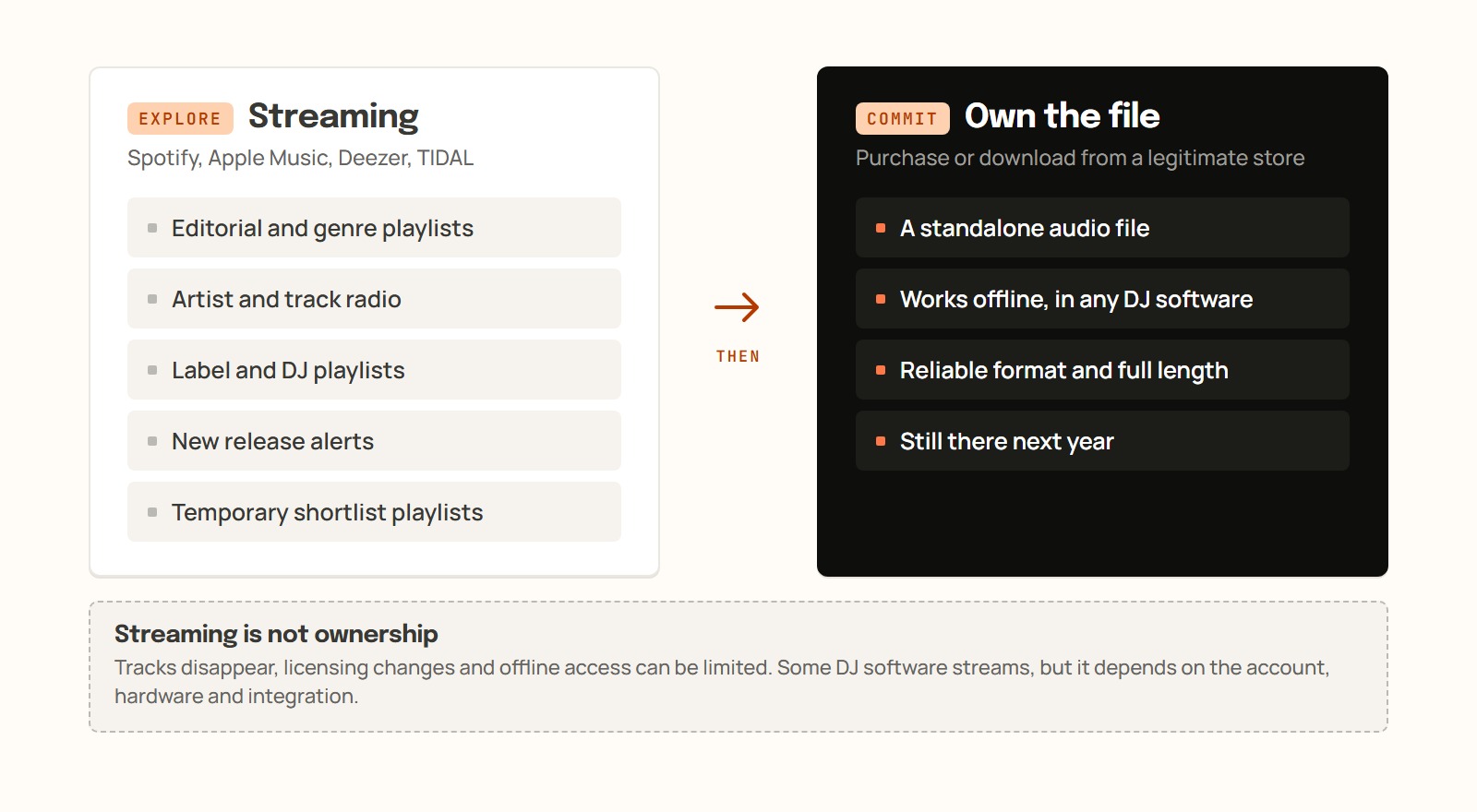
Spotify, Apple Music, Deezer and TIDAL let DJs preview music through playlists, artist radio and release alerts without buying every track.
They don't give you a file. Spotify confirms that its music cannot be exported outside its app, and Apple Music downloads depend on an active subscription. Some services work with selected DJ software, depending on the account, equipment and integrations, but tracks can disappear, licensing can change and offline access may be restricted. Many DJs test ideas on streaming, then buy what they plan to play.
4. SoundCloud
Producers, labels and DJs upload original tracks, remixes, bootlegs, edits and full sets to SoundCloud, so underground music often shows up there before larger platforms. DJs dig through artist and label profiles, reposts from trusted accounts and related tracks.
Finding a track there does not mean you can download it or play it commercially. Use the artist's download button or the official purchase link. Ripping the streamed audio produces an unauthorized copy and may also sound worse.
5. Bandcamp and artist-direct stores
Independent producers and smaller labels sell EPs, limited releases, alternate versions, high-quality downloads and vinyl on Bandcamp and their own stores. Buying direct gets you a legitimate copy and pays the artist or label.
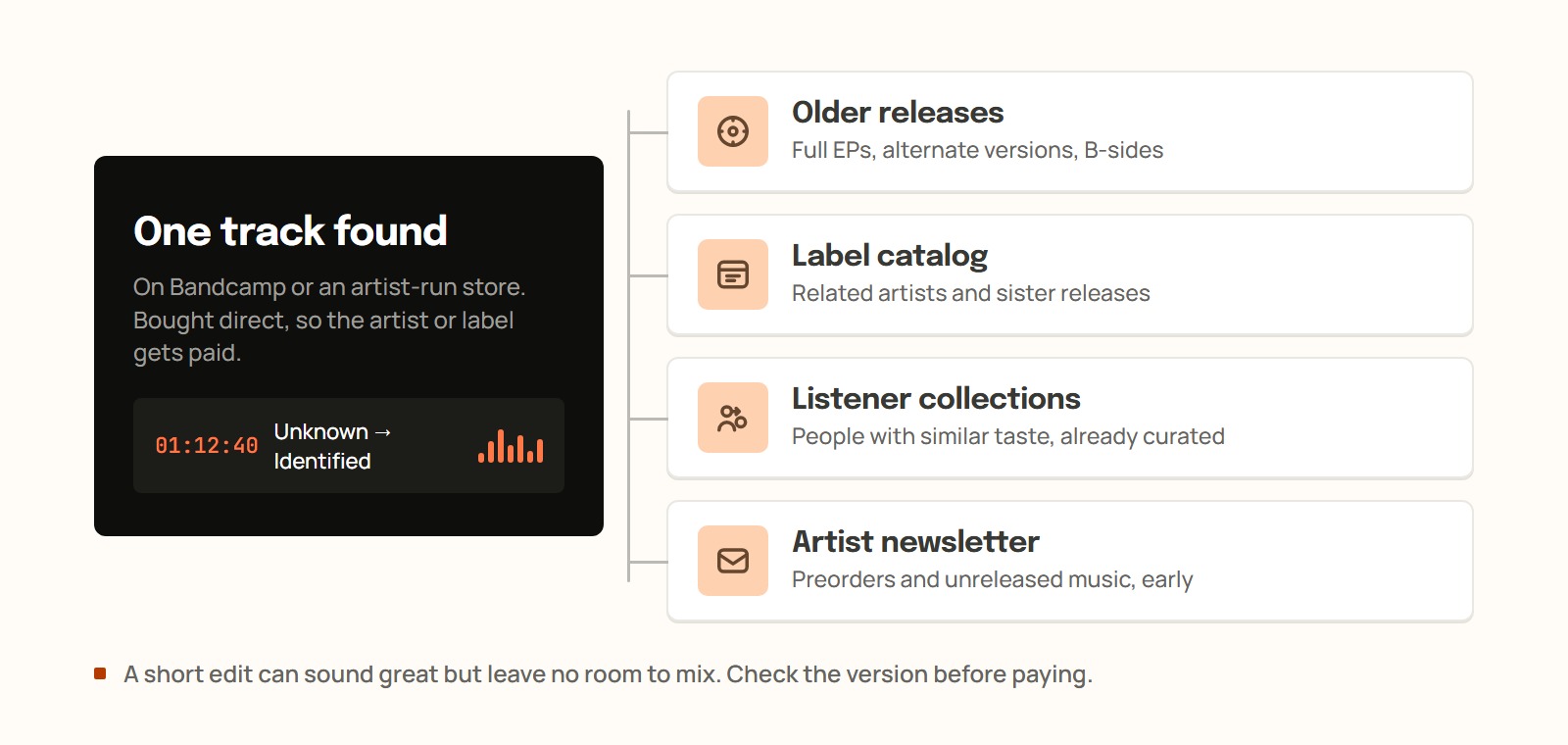
Check the version before paying. A short edit leaves little room to mix, so look at the file format, track length and release details.
6. Label promos and promo lists
Labels and PR companies send pre-release tracks to DJs on their promo lists, often as private links. They usually ask for feedback in return, and some promos carry an embargo on sharing or playing the track before a set date.
7. Other DJs' mixes and radio shows
Other DJs' sets show how a track works in context. YouTube, Mixcloud, SoundCloud and radio shows are full of unfamiliar tracks, but many uploads list only a few names or none. (A track listed as "ID" is an unreleased or unidentified track.)
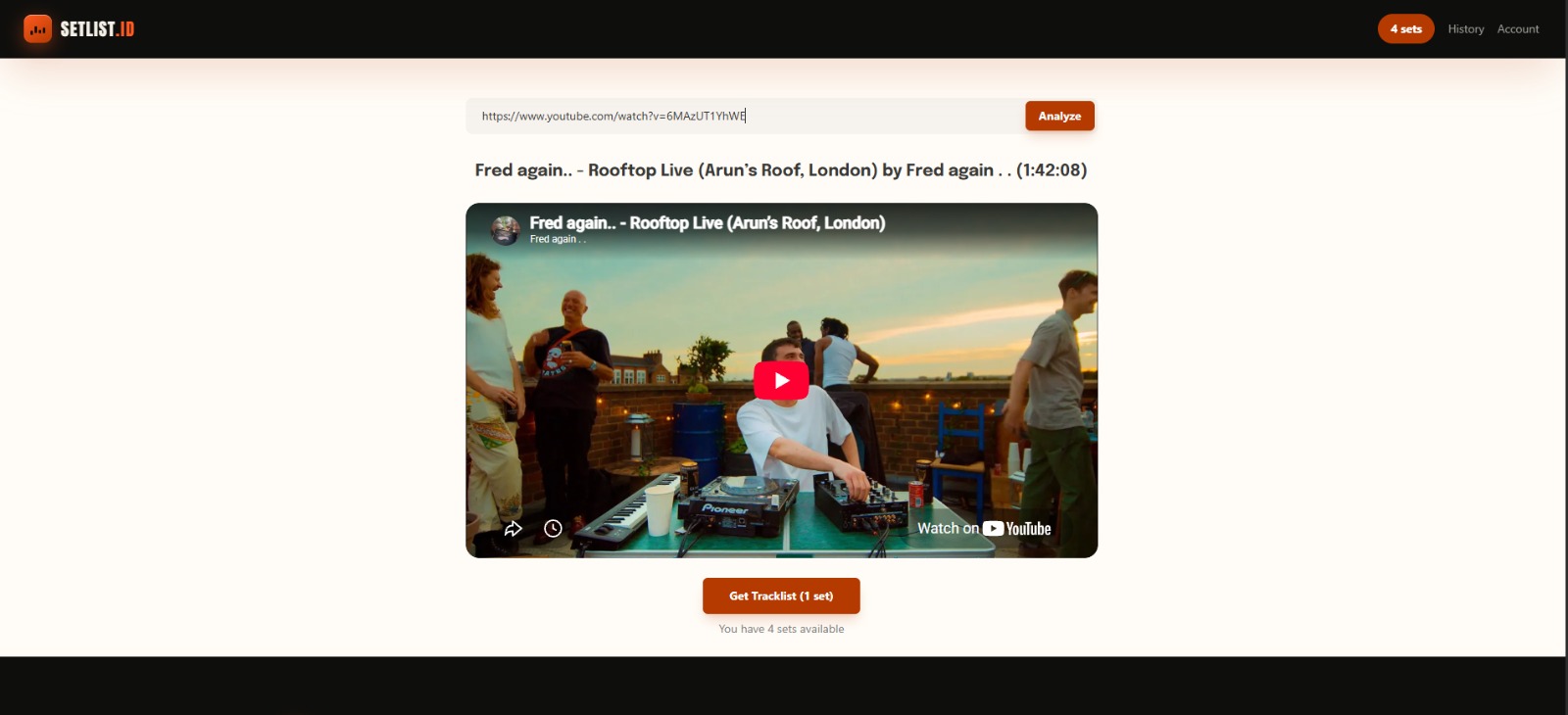
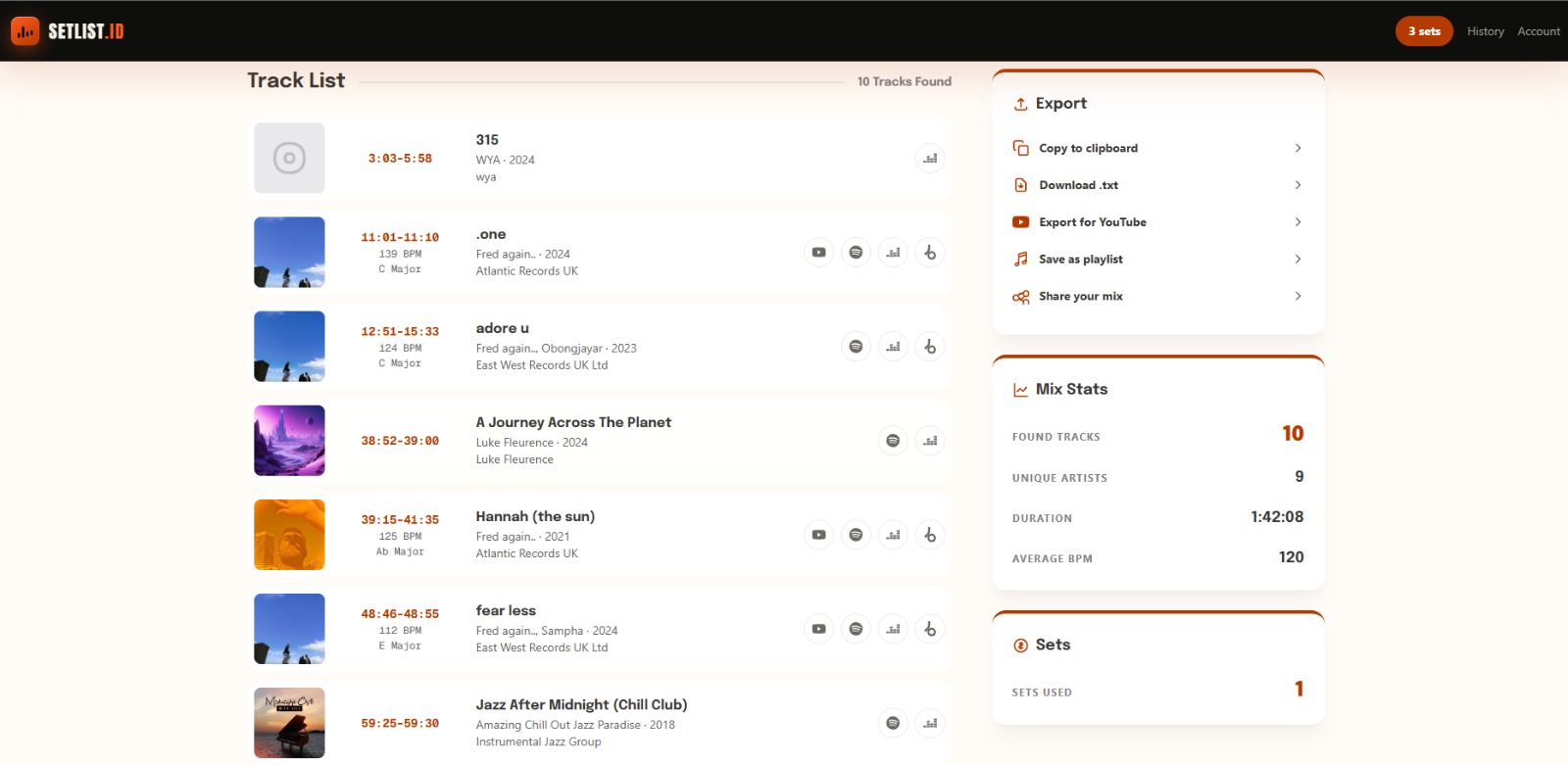
Instead of replaying the transition or reading the comments, use Setlist.ID. It analyzes the complete recording and returns a timestamped tracklist:
Copy the link to the full mix.
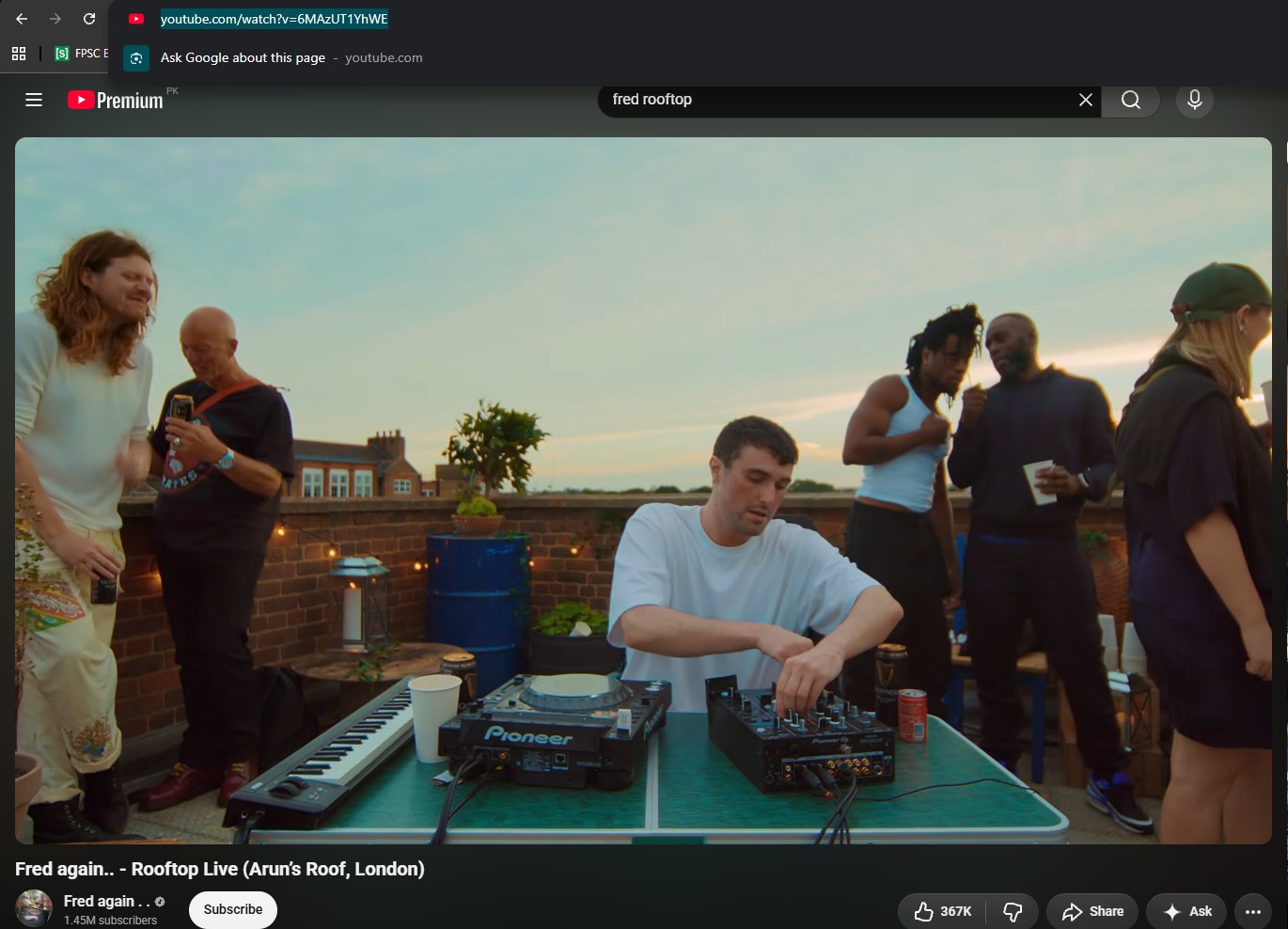
Paste it into Setlist.ID and let it analyze the recording.
Review the tracks, timestamps and streaming links.
Find an authorized release from a store, label or artist.
Timestamps help when several tracks overlap in a transition. Setlist.ID only identifies; it does not rip or download audio. More methods: how to find songs in a DJ set.
Studying another DJ's selection is legitimate discovery; copying their recording or rebuilding their exact set is a different matter.
8. Your own productions, remixes and edits
Some DJs make material for their own sets in software such as Ableton Live:
Original productions: new tracks written from scratch
Remixes: reworked versions with a new structure, rhythm or mood
DJ edits: longer intros, cleaner outros or rearranged sections
Mashups: elements from different tracks combined into one piece
This gives a DJ unreleased tracks and intros built for their own mixing; even a simple edit can fix a real performance problem. Releasing is different: using another artist's recording does not give you permission to distribute the result. Official remixes are normally approved; unofficial edits, mashups and uncleared samples need more care.
9. Social media, charts and communities
DJs follow artists, labels, event pages, genre publications and trusted curators to catch new music before it reaches major playlists.
Charts show which releases are getting attention, but copying the same chart as everyone else makes a dull library. Use one strong track as a starting point and explore its artist, label and producers. Online communities share overlooked releases and help identify difficult tracks; verify the track details and avoid suspicious download links.
10. Record shops, vinyl and Discogs
Physical releases turn up regional releases, forgotten remixes, older hits and alternate versions that never reached streaming.
Source | What DJs can find | Main advantage | What to check |
|---|---|---|---|
Record shops | New vinyl, local releases, imports and staff recommendations | Hands-on discovery and access to local scenes | Pressing, condition, price and track version |
Second-hand collections | Older records, discontinued releases and unexpected finds | Rare music at potentially lower prices | Scratches, damaged sleeves and incorrect labeling |
Compilation CDs | Older hits, radio edits, remixes and genre collections | Several useful tracks from one purchase | Audio quality, duplicate songs and exact versions |
Discogs | Release histories, vinyl, CDs and different pressings | Easier research and access to independent sellers worldwide | Seller ratings, shipping costs, grading and catalog numbers |
Example: from an unknown track to your library
You hear an unfamiliar track in a recorded set and the description doesn't name it.
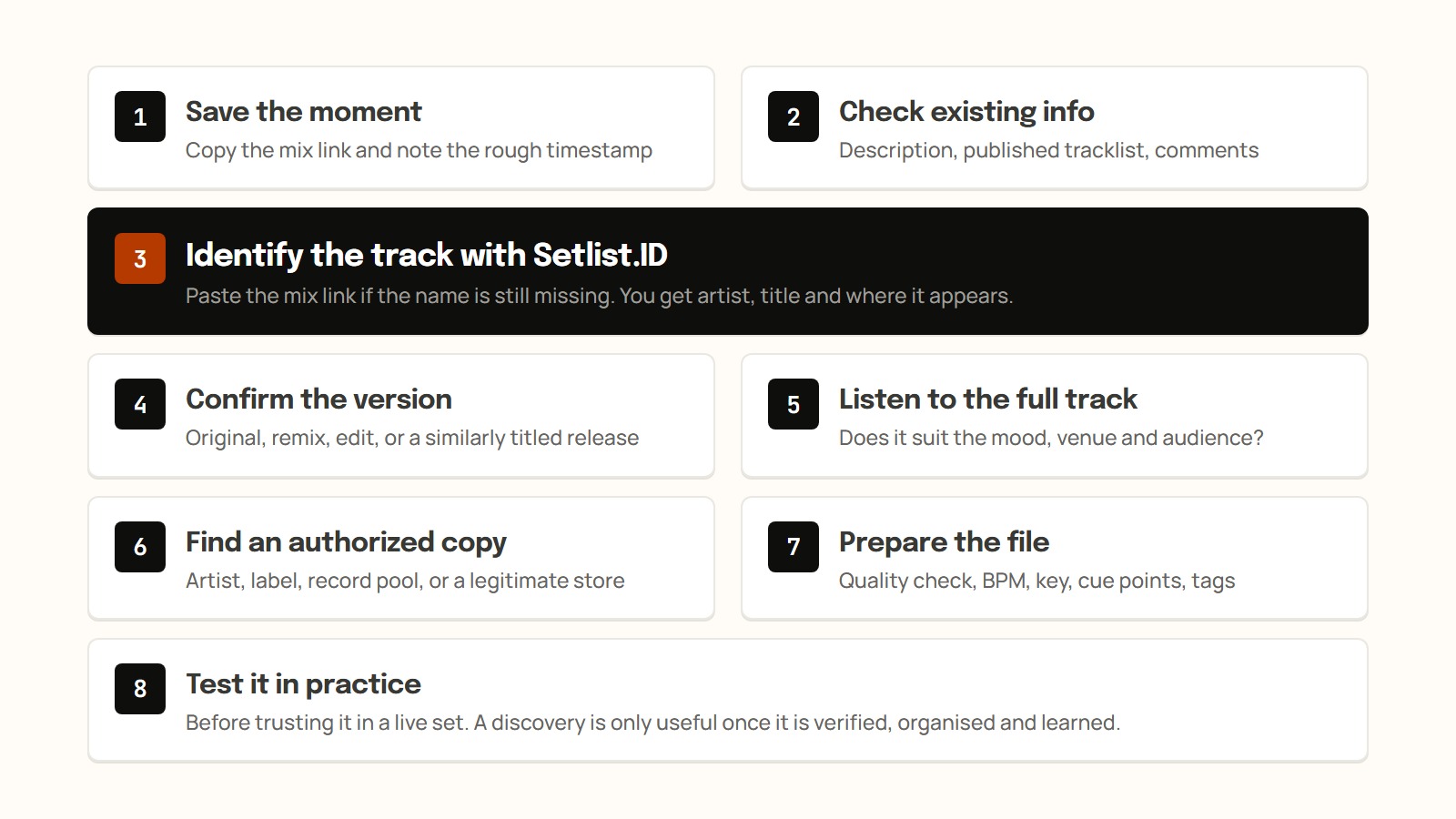
Copy the mix link and note the rough timestamp.
Check the description, any published tracklist and the comments.
If the name is still missing, paste the link into Setlist.ID.
Confirm the version (original, remix, edit) and listen to the full track.
Get an authorized copy from the artist, label, record pool or a store.
Check quality, analyze BPM and key, add cue points and tags.
Try it in practice, then work it into your next setlist.
FAQ
Where do DJs buy their music?
Mostly from download stores such as the Beatport Store, from Bandcamp and artist-run stores, and through record pools. Each gives a standalone file for DJ software.
Can DJs play music from Spotify?
Not as files. Spotify says its music cannot be exported outside its app. Some services work with selected DJ software, but tracks can disappear and offline access may be restricted.
What is a record pool?
A subscription service that supplies working DJs with DJ-ready versions of tracks, such as clean edits and intro edits.
How do DJs find the name of a song in another DJ's mix?
Check the description, tracklist and comments first. If the name is still missing, paste the mix link into Setlist.ID for a timestamped tracklist.
Can I download tracks from SoundCloud to DJ with?
Only through the artist's download button or the official purchase link. Ripping the streamed audio produces an unauthorized copy and may also sound worse.
To name a track you heard in a mix, paste the link into Setlist.ID and get the full tracklist with timestamps.